Hair Salon Appointment Scheduling Software
Use a hair salon appointment scheduling software to simplify managing your clients’ bookings.

Managing appointments at a hair salon
A modern hair salon offers a wide range of services: haircuts, styling, blowouts, extensions, coloring, and more.
Some salons serve one client at a time. In this case, appointment management is simple but still requires careful scheduling of the time and duration of each service to avoid overlaps.
Larger salons have multiple workstations with different staff, allowing them to serve multiple clients simultaneously. Scheduling appointments in such cases can be complex and requires a proper appointment software like Softvision Agenda.
Regardless of size, salons must avoid “gaps” in schedules due to missed appointments. Appointment software can automatically send SMS reminders to clients a few hours before their appointments.
Client self-booking
Using an electronic appointment management system like Softvision Agenda, appointments can be added via the software control panel. This is useful when clients call to book and, especially in small salons, interrupts the hairdresser’s work.
Additionally, clients can book appointments independently via a dedicated website (booking portal), select the service type (cut, color, etc.), and choose the date and time. The system only offers available slots.
Using and configuring Softvision Agenda in a hair salon
After understanding the benefits of appointment software, here is how to configure Softvision Agenda for a hair salon.
Salon working hours
In the "Company" menu of the control panel at https://agapp.softvision.it, all configuration options are available.
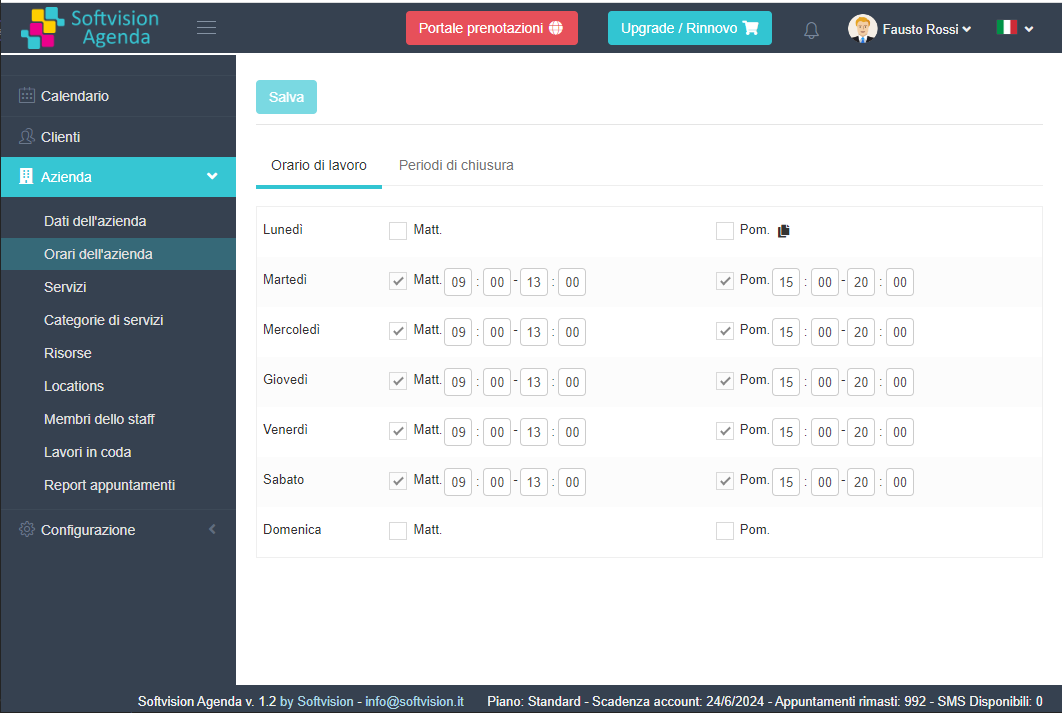
Set the salon’s opening hours. The system allows bookings only during these hours.
Using "Company Hours", specify morning and afternoon hours for each day. In this example, appointments are accepted Tuesday to Saturday, 9–13 and 15–20.
Services offered
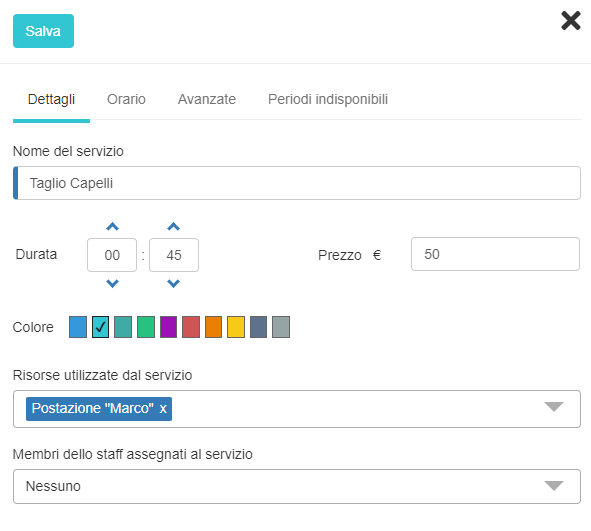
Define the types of services offered to clients. Use the "Services" section in the "Company" menu to add or edit services.
Create services with duration (Haircut, Coloring, Blowout, etc.). Assign staff and resources for each service depending on salon size. Two main cases:
- Single hairdresser managing one client at a time. Create one resource (e.g., “Station”) with multiplicity 1 and assign to all services.
- Salon with multiple stations and staff. Create a resource for each station (“Station Marco”, “Station Franco”), assign all resources to each service, and enable “manual resource selection” so clients can choose staff online.
Some staff may work on multiple stations simultaneously. Set their capacity >1 and assign to all relevant services.