Appointment Scheduling System for a Polyclinic
Simplify the management of appointments at your polyclinic with easy-to-use, highly customizable software.

How to manage appointments in a polyclinic
Polyclinics provide outpatient healthcare services that do not require patient hospitalization.
They are typically specialized in several medical fields, such as cardiology, gynecology, dermatology, dentistry, orthopedics, etc.
Benefits include better access to medical services, multiple specialties in one location, lower costs, and reduced waiting times.
Usually, many doctors are concentrated in a single facility, generating a high number of appointments daily.
For this reason, a system like Softvision Agenda is absolutely essential.
Online appointment booking at polyclinics
It is necessary to manage appointments for different doctors using shared resources, such as rooms and diagnostic equipment.
Often, appointments are booked via phone, and the polyclinic secretary uses Softvision Agenda to enter them into each doctor's calendar.
A much more efficient method, complementary to the above, is allowing patients to book autonomously through a website (booking portal), selecting the type of appointment, doctor, date, and time. Only available slots are displayed automatically.
This approach significantly reduces the workload for the secretary and provides patients with faster, more efficient booking.
Using Softvision Agenda in a Polyclinic
After analyzing appointment management challenges, let's see how to configure Softvision Agenda for a polyclinic.
Defining clinic hours
The first step is specifying which hours and days the clinic provides services.
In the control panel at https://agapp.softvision.it, under the "Company" menu, you can configure the system.
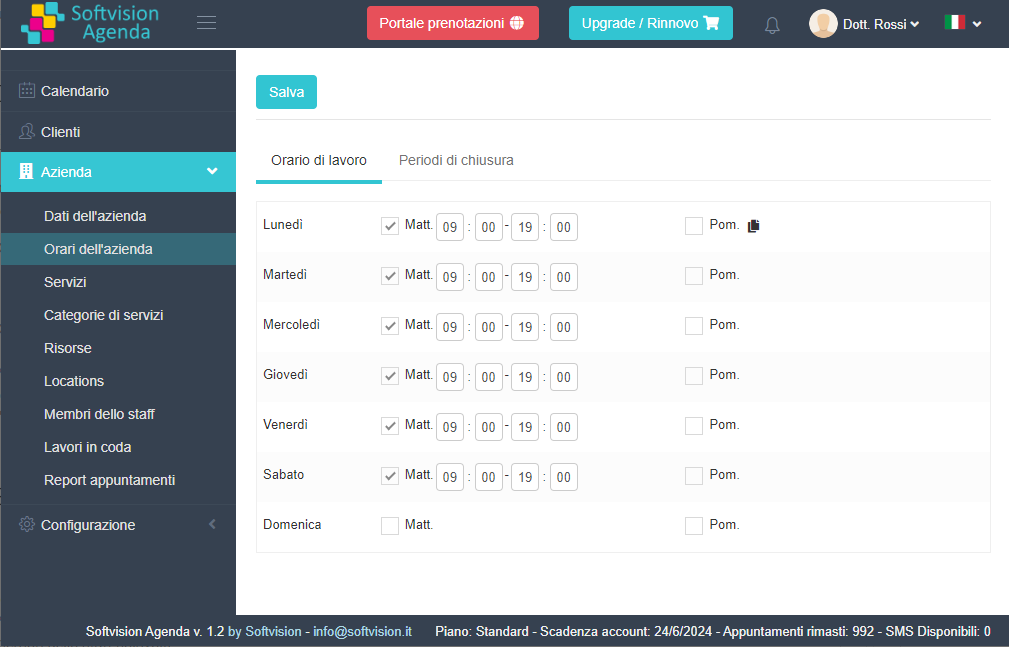
Using "Company Hours", you can set morning and afternoon hours for the week. Typically open every day except Sunday, as shown in the example.
General hours apply to the clinic, but individual doctors may have different (shorter) schedules. Define each doctor's availability using their profile (Staff Member).
Adding polyclinic doctors
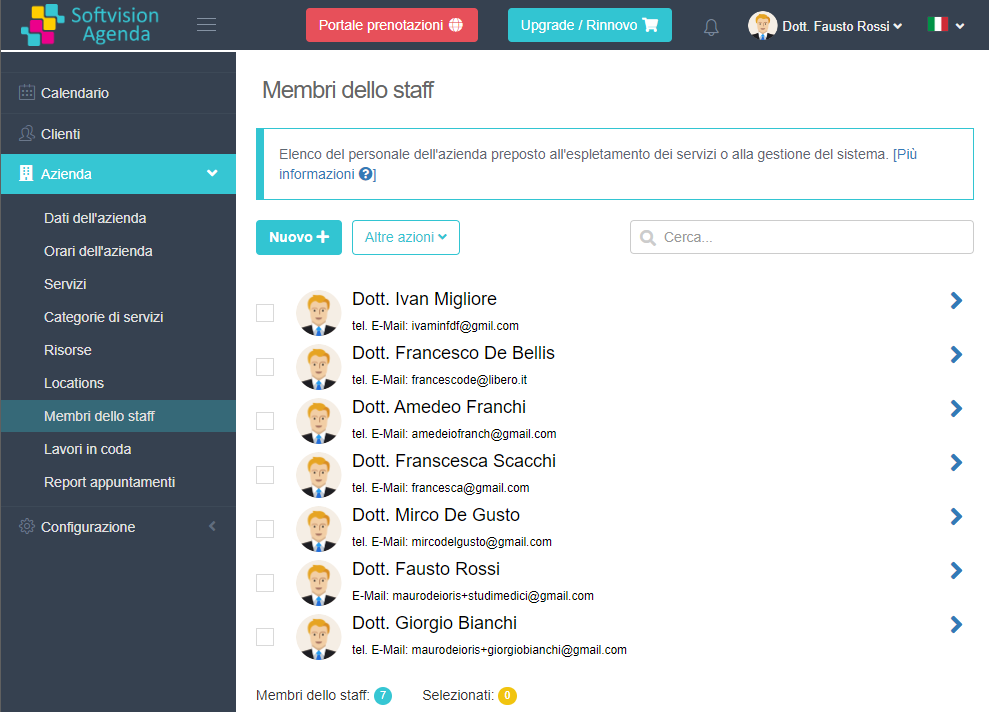
Softvision Agenda is a multi-calendar system. Each doctor has a calendar showing only their appointments.
Enter doctor details under "Staff Members". Each doctor will have their account and will only see their own appointments (Operator).
Defining services offered
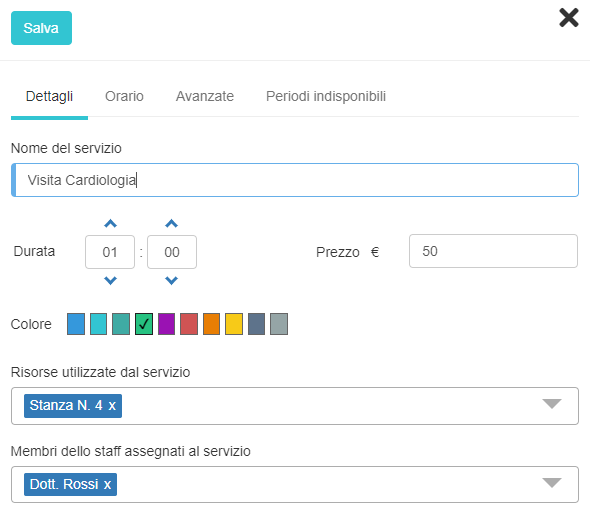
A polyclinic provides multiple services or appointments. It is vital to define which services are offered, who provides them, and what resources are used.
After entering doctors, define all necessary resources, such as rooms and equipment.
Finally, enter all service types (Services) with name, duration, resources, and responsible doctor. If a service can be performed by multiple doctors, enable "Require staff member selection" so the patient can choose.